
Give every colleague access that fits their responsibilities.
Organise reception, management and finance without sharing one account. Create club roles and choose which information and actions each person can access.
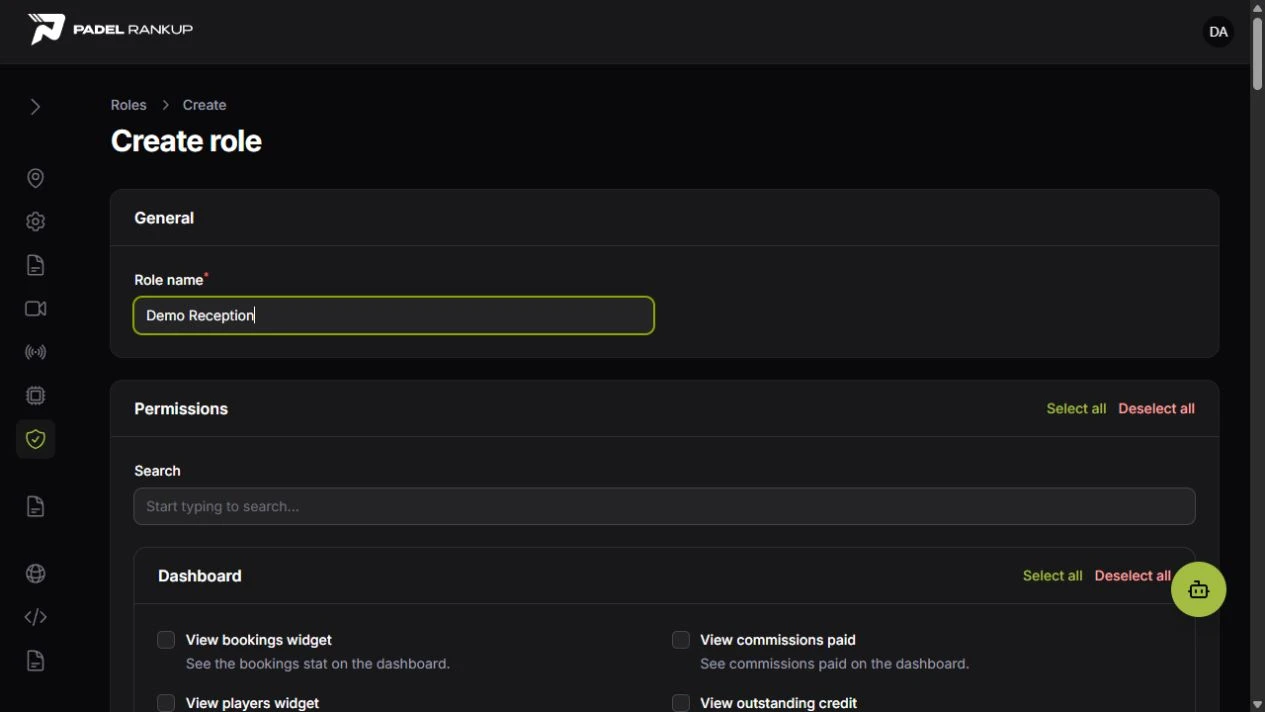
Roles that match your team
Define roles and assign them to users. One person can have different responsibilities across clubs they can access.
Viewing and editing are separate
Set permissions for calendars, users, reports, finance, communication and devices. Seeing a section does not automatically allow changes.
Control sensitive operations
Choose who manages billing, API keys and device actions. Certain teams can use an anonymised booking view.
In practice
Reception runs the day; the manager reviews results.
Reception gets calendar and player access. The manager also sees reports, while financial functions remain with the colleagues who need them.
Benefits
For your club
Each colleague works with access suited to their responsibilities. Reception, management and finance do not need to share an account or the same editing rights.
For the player
Staff helping a player can access the necessary information within the club. Sensitive operations remain with the people authorised to manage them.
Setup and activation
See how it works for your club.
Request a demonstration of this feature. Then we will help configure the right settings for your club.
For setup, we agree on:
We map responsibilities to permissions and check each role. Access is configured for the selected club.
Frequently asked questions
Can staff make themselves the owner?
No. Club roles do not let a user become a club owner or platform administrator.
Can every employee have their own access?
Yes. Assign club roles to users so staff do not have to share one account.
Can I allow viewing without editing?
Yes. View and edit permissions are separate, depending on the section being managed.
Can someone have different roles at different clubs?
Yes. Roles and permissions are configured for each club the user can access.
Let’s see how it would work for your club.
See how management, promotion and community connect: from visibility in search engines and the app to booking and the next visit.