
Give your community a clear reason to return.
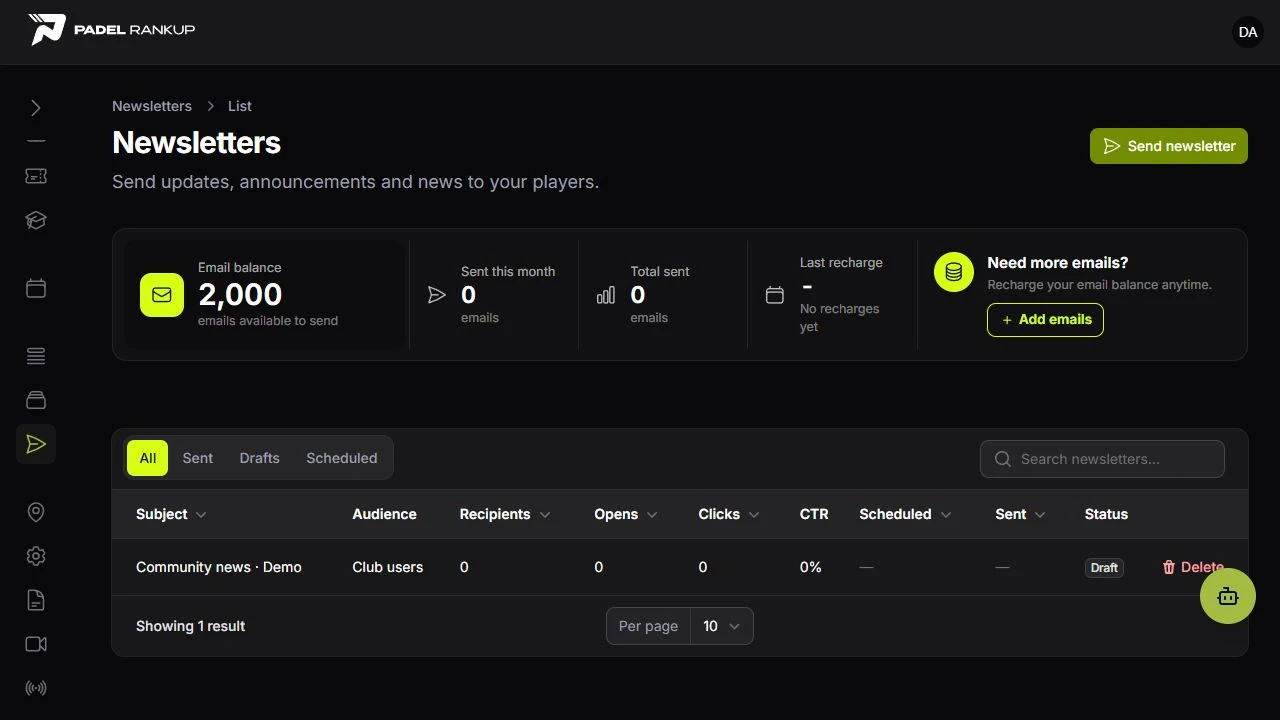
Announce tournaments, events and club news from the administration panel. Build the email, choose its audience and review engagement.
An audience that fits the message
Select club users or an imported mailing list. Language, participation and activity filters help you reach a relevant audience.
Emails that represent your club
Start from a template or use text, images and buttons. Preview the message and recipients before sending.
Scheduling and results
Save a draft, send or schedule the email. Review opens, clicks and click-through rate after delivery.
In practice
Invite interested players to your next event.
Prepare the event details and a link to its page. Choose the relevant recipients, schedule delivery and review whether people visited the link.
Benefits
For your club
Promote a tournament, event or offer to the relevant club audience. Email links lead people to the activity, while opens and clicks show the campaign response.
For the player
Players receive information about activities they can join, with useful links to continue. Available filters help the club prepare messages suited to its community.
Setup and activation
See how it works for your club.
Request a demonstration of this feature. Then we will help configure the right settings for your club.
For setup, we agree on:
We prepare authorised lists, a visual template and email credits. Recipient limits and minimum intervals between sends apply.
Frequently asked questions
Can I schedule newsletters?
Yes, using the club’s timezone. Sends must be at least 24 hours apart, and email credits are used when the email is sent.
Who can receive my newsletters?
Select club users or an imported list, using available language, participation and activity filters.
Can I check an email before sending?
Yes. Save a draft and review the preview and recipients before sending or scheduling the campaign.
What results can I see after a campaign?
Track opens, clicks and click-through rates for each sent campaign.
Let’s see how it would work for your club.
See how management, promotion and community connect: from visibility in search engines and the app to booking and the next visit.