
Online booking software for padel clubs.
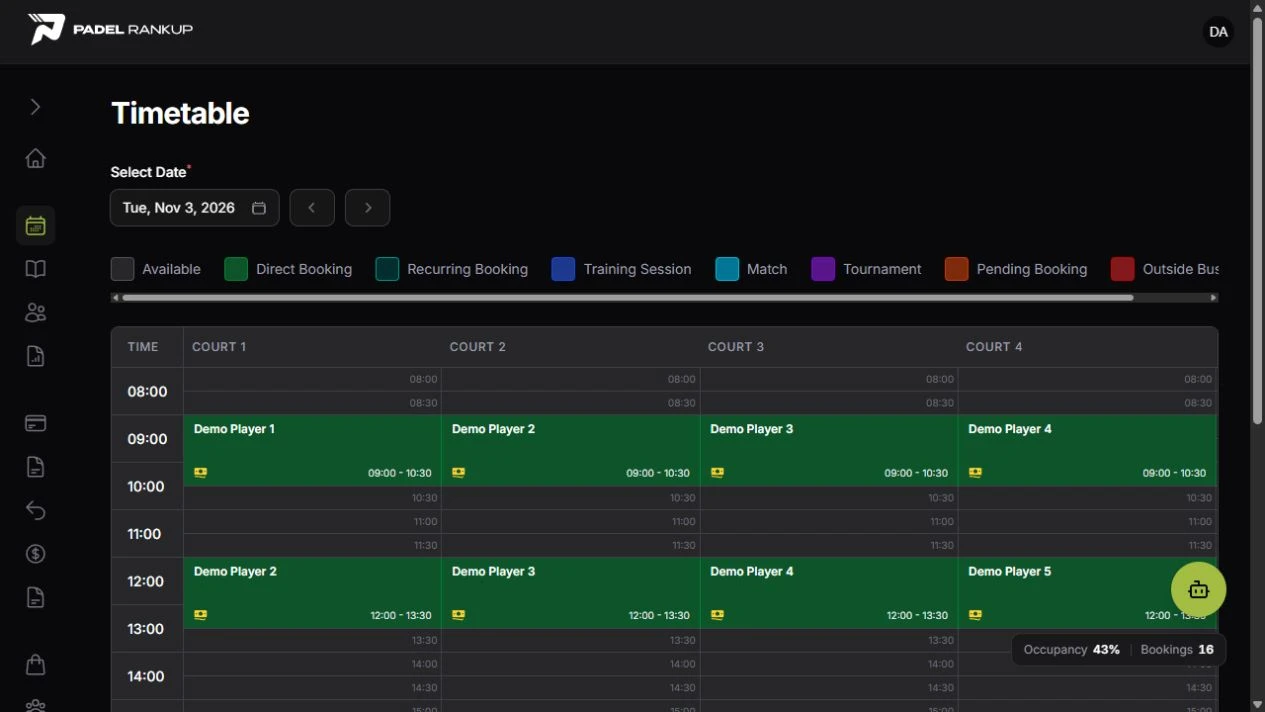
Manage court availability, rates and bookings in one calendar. Players book through the app or your club website; your team can also manage recurring bookings.
For your club
Your team works from a shared court schedule, with price and duration rules already configured.
For the playerPlayers see available slots and prices before booking, or join an open match when they need partners.
Flexible schedules and rates
Set time slots, durations and prices by court and day. Add exceptions for special dates without losing the overall picture.
- Set weekly opening hours for each court and block maintenance or holiday periods.
- Configure standard and peak rates, date exceptions, booking durations and advance-booking rules.
Bookings that repeat
Organise recurring reservations and club activities in a shared calendar. Give each team member the permissions their role needs.
- Staff can create recurring series every 1–4 weeks for a chosen period.
- Authorized colleagues update the court, time, participants and notes in the shared timetable.
From a booking to a match
Connect reservations with open matches. Players find slots in the app, while a booking widget can also be integrated into your club website.
- Players see availability and prices in the app or your website’s booking widget.
- Convert eligible bookings into open matches; track confirmation separately from payment.
In practice
The same group every Tuesday
Reception creates a weekly series for regular players. Online bookings remain visible alongside it in the same court timetable.
- 01
Configure the courts
Set schedules, durations and rates, then block unavailable periods.
- 02
Organize bookings
Players select available slots; reception enters direct and recurring bookings.
- 03
Review activity
Check participants and payments, then review reserved hours and occupancy by court.
Benefits
For your club
Reception sees online bookings, staff entries and recurring series together. Colleagues start from the same schedule when answering a player or preparing the day.
For the player
Players see available slots and prices before booking. They can continue from the club page or app without waiting for a time to be confirmed by phone.
Setup and activation
See how it works for your club.
Request a demonstration of this feature. Then we will help configure the right settings for your club.
For setup, we agree on:
Courts and weekly opening hours.
Standard rates, peak periods and accepted durations.
Club rules and the colleagues managing the calendar.
Frequently asked questions
Can each court have different rates?
Yes. Schedules and rates are configured per court, with time slots and exceptions.
Does confirmed mean paid?
Not necessarily. Booking confirmation and payment status are separate information.
Can players create recurring bookings themselves?
Recurring series are created by club staff in the timetable. Players book available slots through the booking flow.
Can I see how busy each court is?
Yes. The occupancy report shows reserved hours and occupancy percentage by court for the selected period.
Let’s see how it would work for your club.
See how management, promotion and community connect: from visibility in search engines and the app to booking and the next visit.