
Payments and invoicing for your padel club.
See who has paid, how they paid and what is still due. Keep payments and documents alongside bookings, with exportable reports for your club records.
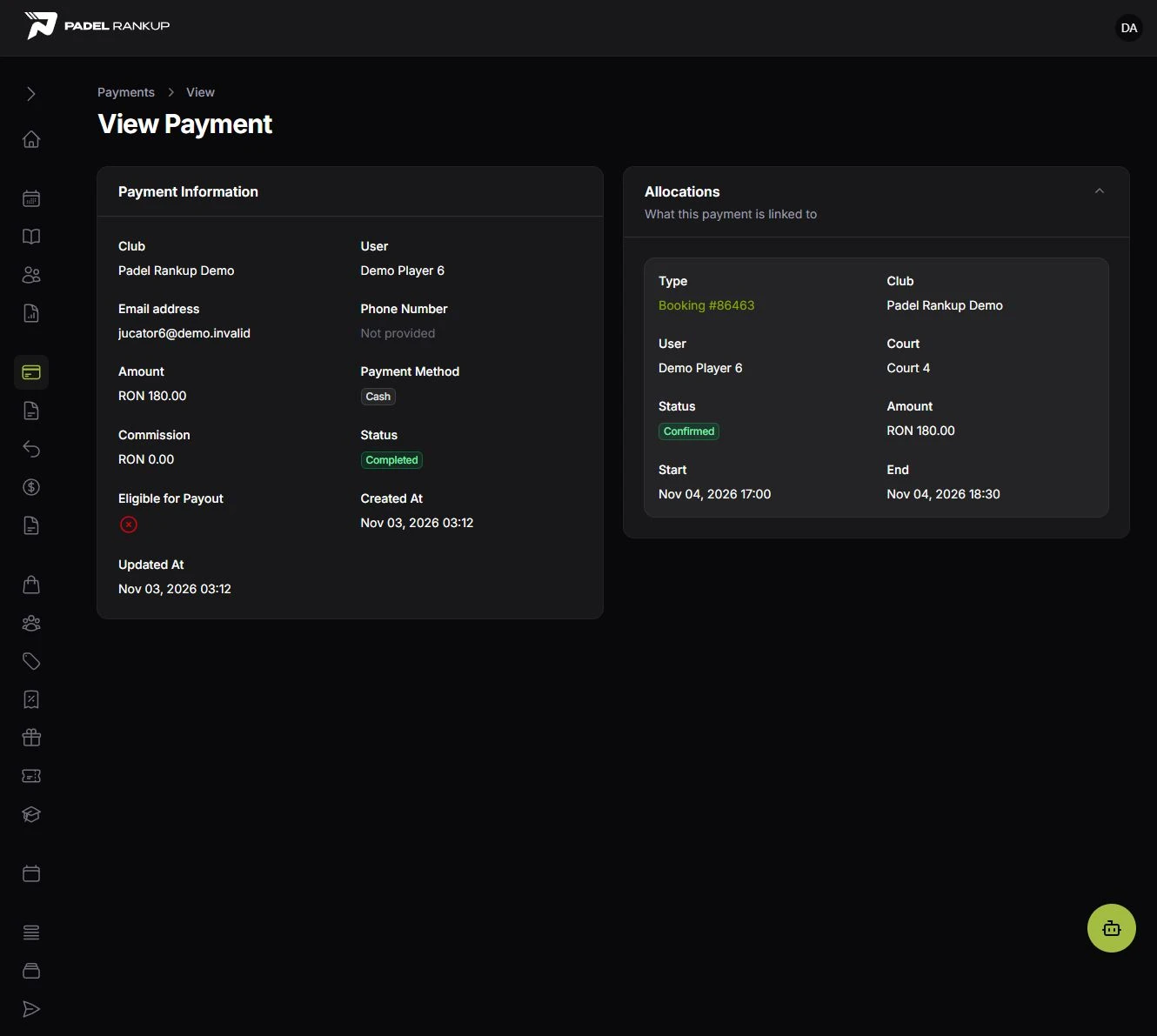
For your club
Track money received alongside club activity and distinguish a confirmed booking from a settled payment.
For the playerPlayers see their own share when joining an open match and use the methods your club enables.
Payment methods for your club
Enable the methods available for your club and market. Your team can track the booking and its payment separately.
- Track card, cash and credit payments according to your enabled methods.
- Staff record cash after collection; filter payments by date, method and status.
Each participant pays their share
In the open-match registration flow, players pay their individual share. A regular court reservation follows a different flow.
- Open-match participants have their own payment share.
- Add catalog products or services, such as water or racket hire, to the court bill.
Documents and reports
Use available invoices and exports for club records. The eFactura integration is specific to Romania and requires configuration.
- View customer invoices separately from platform documents.
- Review payouts and associated payments, with exports. Romania’s eFactura integration requires SPV setup.
- Track refunds, their status and the associated payment in a dedicated section.
In practice
An open match with individual payments
Four players join an open match. Each has a payment share, and reception checks their payment status before play.
- 01
Choose payment methods
Configure the methods available for your country and currency, plus billing details.
- 02
Collect and record
Players pay online where enabled; reception records amounts collected directly.
- 03
Review and export
Check payment and invoice statuses and export reports for your financial records.
Benefits
For your club
Staff track the booking, participants and payment status separately. When a payment question arises, the amount and method remain in the context of the club’s activity.
For the player
Players see the methods available at the club and can pay their share through a compatible flow. Pricing and payment status stay connected to their booking.
Setup and activation
See how it works for your club.
Request a demonstration of this feature. Then we will help configure the right settings for your club.
For setup, we agree on:
Country, currency and billing details.
Payment methods and staff with financial access.
Products, services and discount rules.
Frequently asked questions
Are the same methods available in every country?
No. Availability depends on the country, processor and club configuration.
Does the platform replace accounting?
No. Invoices and reports support your records; club accounting remains a separate process.
Can I add products to a booking’s bill?
Yes. Staff can add catalog products and services to a court bill and track quantities and participant payments.
Can I download financial reports?
Yes. Authorized colleagues can filter payment and invoice reports and export CSV files.
Let’s see how it would work for your club.
See how management, promotion and community connect: from visibility in search engines and the app to booking and the next visit.