
Padel memberships that give players a reason to return.
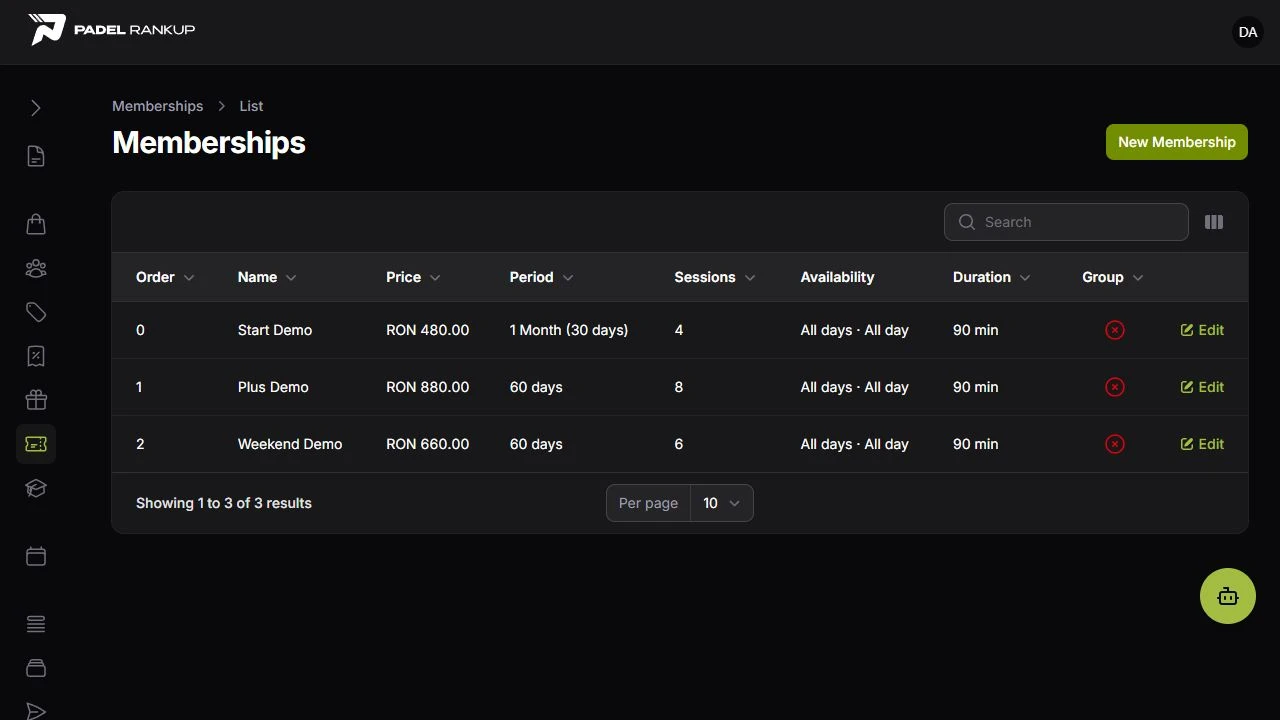
Build packages with clear session counts, duration and validity. Players can plan regular visits while your team tracks packages and usage in the app.
For your club
Create offers for quieter hours and returning groups. Staff see the terms and remaining sessions, so renewal conversations start with actual usage.
For the playerPlayers know how many sessions they have and when they can use them before planning their next visit.
Individual and group memberships
Set a price, number of sessions, session duration and validity period that suit how your customers play.
- Set the price, validity, number of sessions and session duration.
- Players can buy public packages by card from the club page when card payment is available.
- Staff can assign packages directly to players and record payment at reception.
Sessions used in the right flow
In eligible open matches, an individual session covers the player’s share. When booking a whole court it covers 25%, with the rest still payable. Group packages are managed manually.
Clear conditions and tracked usage
Choose eligible days and hours and whether the package is public or private. Staff can consult assigned player packages and available sessions.
- Limit use to particular days and hours, such as weekday mornings.
- Players see their active packages and remaining sessions in the app.
- Keep a package private and available for staff assignment.
In practice
A morning-session package
Set the number of sessions, their duration and eligible time window. Players understand the conditions and staff can track usage.
- 01
Define the package
Choose the type, price, session count and validity period.
- 02
Make the offer available
Publish the package for online purchase or keep it private for reception to assign.
- 03
Follow session usage
Staff check the player’s package and its use in the appropriate booking flow.
Benefits
For your club
Build offers for different playing habits: a morning package, a validity period or a number of sessions. Staff check the records without a separate spreadsheet.
For the player
Players understand what they buy: price, duration, sessions and usage conditions. A suitable package helps them plan their next visits to the club.
Setup and activation
See how it works for your club.
Request a demonstration of this feature. Then we will help configure the right settings for your club.
For setup, we agree on:
Start with the packages you already sell and check how each applies to a test booking.
Agree who can assign packages, adjust sessions and record payments at reception.
Frequently asked questions
Can memberships be used at any club?
No. Each membership or training package is used at the club that offers it. Sessions cannot be transferred between clubs.
Does every booking automatically use a membership session?
No. Individual memberships apply automatically only to eligible app bookings and open matches with matching duration, days and hours. Staff manage group memberships and training; the website widget does not consume sessions.
Can I restrict a membership to certain hours?
Yes. You can define eligible days and time windows, along with validity and session duration. This lets you create an offer for morning hours, for example.
What does an individual membership session cover?
In an eligible open match, it covers the player’s share. When reserving the whole court through Book now, it covers 25% of the court price; the remaining 75% is payable for the other participants.
Let’s see how it would work for your club.
See how management, promotion and community connect: from visibility in search engines and the app to booking and the next visit.